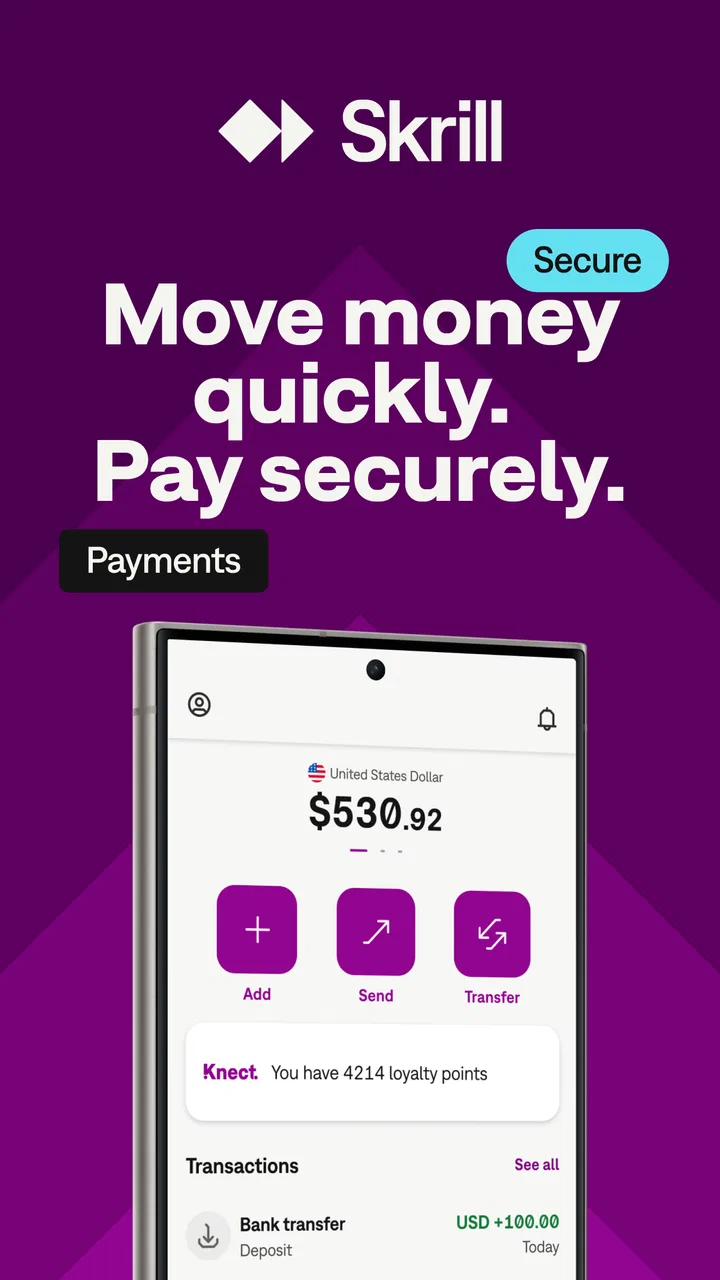
Skrill - Fast, secure payments
- 4.5
- Rating
- 10.00M
- Installs
- Free
- Price

 Analysis by App-foxy
I tend to judge finance apps by what happens when something goes slightly wrong, not just by how quickly the first screen opens. Skrill is built around sending and managing money from a phone, and in my experience its biggest value is convenience when the people involved already understand how they want to move funds. It is free to download, aimed at Everyone, and developed by Paysafe Holdings UK Limited. The app has been available since September 2014, so it is not a new experiment trying to find its place in mobile finance.
That long presence is reflected in its reach: Skrill has passed 10 million installs and holds a 4.5 average from roughly 239 thousand ratings, with about 4 thousand written reviews. Those figures do not make every transaction effortless, but they do suggest that this is an established service rather than a niche wallet used by only a small group. I tested it with a practical question in mind: can someone use it confidently for ordinary transfers without becoming lost when verification, recipient details, or a delayed transaction enters the picture?
Where Skrill Usually Feels Easy—and Where People Get Stuck
The basic idea is straightforward. You use your phone to access a digital money account, arrange a transfer, and keep track of what is happening from the same place. That makes Skrill appealing when opening a traditional banking app would be inconvenient, or when the person receiving money is already comfortable with Skrill. The experience is more focused than a full bank application, which can be a strength if you mainly need movement of funds rather than budgeting, loans, or everyday account management.
You May Also Like

 Blood Strike: 2.5 Anniversary
Blood Strike’s Loadouts Turn Every Drop Into a Tactical Gamble
A close look at Blood Strike’s custom loadouts: how fast access to signature weapons reshapes its battle royale rhythm, rewards preparation, and narrows the gap between fights.

 Pandora - Music & Podcasts
Pandora’s Music Is Easy to Start, but Harder to Recover
Pandora’s strength is its low-effort path from a seed to a station. Its weak spot is how much confidence it asks you to place in connection, setup, and quiet recovery.

 8 Ball Pool
 Is Built on Rivalries, Rematches, and Routine
A close look at the rivalries, rematches, shared routines, and unanswered safety questions that turn a quick pool match into a persistent mobile community.

 Samsung Music
’s Quiet Strength Is Playing What You Already Own
Its reach comes less from spectacle than from dependable access to a personal library. That simplicity is both the app’s strongest retention engine and its ceiling.

 AccuWeather: Weather Radar
AccuWeather Review: A Quick, Clear Forecast for Everyday Decisions
For everyday plans, the best forecast is the one you can understand quickly. AccuWeather makes rain timing, radar, and local conditions easy to act on, with a few trade-offs.

 Hill Climb Racing
Why Hill Climb Racing Still Turns Crashes Into One More Run
A tiny car, a bumpy hill and one more upgrade: Hill Climb Racing keeps resurfacing because its simple chaos makes every near-miss feel personal.
More From Our News Desk
View All News


The first point of friction is usually not the transfer itself. It is the information needed before the service can let you use particular functions. A new user may expect to sign in, add money, and send it immediately, but finance services commonly need identity and payment details to be accurate before they allow activity. When a name, address, funding method, or recipient detail does not match, repeatedly tapping the same button rarely fixes the problem.
My practical advice is to treat the first session as account preparation rather than an emergency transfer. Use a stable internet connection, read each prompt carefully, and enter your legal details consistently. Avoid rushing through verification while travelling, switching networks, or relying on a temporary email address. A small spelling difference can create more work later, especially if you need help proving that the account belongs to you.
Another common misunderstanding concerns the word “free.” Skrill is free to download, but that does not mean every possible transaction or funding route will necessarily have identical costs. Before confirming anything involving a card, bank transfer, currency conversion, or withdrawal, I would inspect the final review screen and the relevant fee information shown inside the app. The important habit is to judge the complete transaction, not only the installation price.
Recipient mistakes are also easy to underestimate. A transfer can be technically successful while still being sent to the wrong account if the destination detail was entered incorrectly. I recommend copying the recipient information from a trusted source, checking it character by character, and sending a small amount first when the relationship is new or the destination is unfamiliar. That extra step is more useful than assuming a payment app can reverse every mistake.
What I Check Before Starting the First Transfer
I begin by making sure the phone itself is ready. Skrill currently lists Android 8.0 or later as the minimum operating system, so an older device may be the reason installation or updating fails. I also leave enough storage for the app and its updates, keep the system date and time correct, and update the operating system when the phone offers a trusted update. These are simple checks, but they remove several problems that can look like account errors.
Then I prepare the details I expect to use. The name on the Skrill account should be entered consistently with the documents or payment source involved. I keep the recipient’s information in front of me rather than switching between several messaging apps while completing the transfer. If the app asks me to confirm a phone number or email address, I make sure I can receive the message before starting instead of waiting until the process is already blocked.
The most useful setup tip is to separate account verification from payment urgency. If I need to send money within minutes, I do not choose that moment to create a new wallet, test an unfamiliar funding method, and solve identity checks at the same time. I set up the account earlier, complete the prompts calmly, and make a low-risk test transfer when possible. Skrill is much easier to evaluate after the account has been prepared than during a last-minute rush.
Security also deserves ordinary, practical attention. I use a unique password, keep the phone’s screen lock active, and never share one-time codes with someone who claims to be helping. If a message or caller pressures me to approve a transfer immediately, I stop and open the app myself rather than following an unfamiliar instruction. A finance app can provide a secure channel, but it cannot protect a user who voluntarily hands over access details.
Before adding money, I check that the payment method belongs to me and that the available balance can cover the intended amount plus any displayed charge. A declined card does not automatically mean Skrill is broken; the card issuer may have blocked the transaction, the details may not match, or the issuer may treat the activity as unusual. Checking the payment source independently is often faster than repeating the same failed attempt.
How I Recover When a Transfer Does Not Go as Planned
When a payment appears stuck, I first identify its exact state instead of starting another transaction. I look for whether it is pending, declined, cancelled, or completed, and I note the recipient, amount, and time. Sending again before understanding the first attempt can create a duplicate payment, which is a much more serious problem than waiting a little longer for a status to update.
If the screen does not refresh, I check the connection, close and reopen the app, and sign in again only through the normal Skrill application. I avoid clearing everything immediately because removing local information can make it harder to remember what I had already entered. A screenshot of the visible status, without exposing passwords or security codes, can help me explain the issue accurately if support is needed.
For a declined funding attempt, I check the payment method’s expiry date, billing details, available funds, and any approval request from the bank or card issuer. I also consider whether the issuer has restrictions on online or international activity. If the bank shows no attempt at all, the issue may have occurred before the request reached the issuer. If the bank shows a completed charge while Skrill displays something different, I keep both records and avoid making another payment until the mismatch is understood.
For a recipient who has not received money, I confirm the destination detail and the transaction status first. “Not received” can mean several things: the transfer may still be processing, the recipient may be checking the wrong account, or the information may have been entered incorrectly. Asking the recipient to verify their own account details is safer than forwarding screenshots that reveal private information.
My recovery rule is simple: preserve the trail before changing anything. I record the transaction reference if one is shown, keep the confirmation message, and write down the exact error wording. I do not post account numbers, identification documents, or full payment details in public forums. When contacting support, a concise timeline is more useful than a long description: what I attempted, which method I used, what status appeared, and whether my bank shows a charge.
Updating the app can help when a problem is caused by an outdated installation. Skrill’s current Android version is 3.191.0-2026081013, and keeping the installed version current is sensible, particularly after an operating-system update. Still, updating is not a universal cure. If the issue concerns recipient information, account verification, or an issuer decline, a newer app build will not correct the underlying detail.
When the App Is Not the Real Problem
It is tempting to blame the wallet whenever money does not move instantly, but several separate systems may be involved. The phone supplies the connection, Skrill handles the account and transaction flow, and a bank or card issuer may approve or reject the funding step. The recipient’s own account can introduce another delay. Looking at the whole chain prevents the common mistake of uninstalling and reinstalling an app when the actual decision was made elsewhere.
Network quality is one example. A weak mobile signal can interrupt a confirmation screen even though the request has already been submitted. I never assume that an error message means no transaction was created. I check the activity history and any bank notification before trying again. This is especially important when the app closes, the phone loses signal, or the confirmation button appears to do nothing.
Bank controls are another frequent cause. A card issuer might reject a transaction because of its own fraud checks, spending limits, merchant rules, or temporary service problems. The quickest test is often to check the issuer’s app or contact the issuer through its official channel. If the bank confirms that it rejected the attempt, Skrill cannot override that decision; the next step belongs with the bank or with a different eligible funding method.
There is also a difference between a service problem and a user-expectation problem. Skrill is useful for people who need a mobile money account and whose recipients or payment routes fit the service. It is less suitable if I want a complete replacement for a bank, a detailed household budgeting system, or a guaranteed instant route for every country and currency. A traditional bank app may be better for managing salary payments, standing orders, and broader account services, while a specialist transfer service may be preferable when international exchange rates are the main priority.
I would also hesitate to recommend it as the only option for someone who dislikes digital verification or wants extensive in-person assistance. Finance apps reward users who can keep their personal details consistent, monitor transaction statuses, and contact the correct provider when something fails. If that process feels burdensome, a familiar bank branch or a service with stronger local support may be a better fit, even if it is less convenient on the phone.
Everyday Uses That Make the App Worth Keeping
A realistic use case is splitting a household expense with someone who already uses Skrill. I can prepare the account before the bill is due, confirm the recipient’s details, and send the amount without exchanging cash. The key benefit is not a flashy feature; it is having a record of the transfer and a single place to review whether it completed. I still verify the final amount and recipient before confirming, because convenience does not remove responsibility.
It can also suit a freelancer or small seller who needs a separate place to receive money from selected customers, provided the payment route and any applicable charges work for that person. I would keep personal and work records organized outside the app as well, because a wallet history is not automatically a full bookkeeping system. Saving transaction references alongside invoices makes later reconciliation easier.
A less obvious advantage is using a small test payment to validate a new recipient relationship. Rather than sending a large amount to a newly supplied address, I can confirm that the destination is correct with a modest transfer, wait for the status to settle, and only then use the route for a larger payment. This workflow adds time, but it reduces the cost of a typing error or an impersonation attempt.
Another useful habit is checking the transaction history before contacting either party. It tells me whether I am dealing with a failed attempt, a pending request, or a completed payment that the recipient has overlooked. That distinction changes the right action. Repeating a failed payment may be reasonable after checking the cause; repeating a pending payment is risky; disputing a completed payment requires a different conversation entirely.
The app’s Everyone age rating makes it broadly accessible from a content perspective, but I would not interpret that as a reason to hand an unsupervised child access to real funds. Anyone using a finance app should understand passwords, confirmation screens, recipient checks, and the consequences of sending money. The age label describes content suitability, not financial maturity.
How Skrill Compares With the Usual Alternatives
Compared with a standard bank app, Skrill feels more focused on digital money movement and may be easier for a user who does not want a full banking dashboard. A bank remains the stronger choice for core banking needs, direct salary arrangements, scheduled payments, and services tied closely to a local account. If I already have a reliable bank transfer route to the recipient, adding another wallet may create unnecessary steps.
Compared with peer-to-peer payment apps, Skrill can make sense when the people involved already use it or when its supported payment path suits the transaction. A peer-to-peer app may be more convenient inside a particular country or social group, while Skrill may be more familiar to someone who needs a separate digital wallet. The deciding factor is not the app name; it is whether the recipient can actually receive the money through the chosen route and whether the total cost is acceptable.
Compared with specialist international-transfer services, Skrill is not automatically the best choice for every cross-border payment. A specialist service may offer clearer exchange-rate comparisons or a workflow designed specifically for international remittances. Skrill is more compelling when I value having a recognizable mobile wallet and a simple transfer workflow, but I would compare the final amount received rather than judging by the headline exchange rate alone.
Privacy-minded users should also think about how many financial services they want to maintain. Every additional account means another password, another verification process, and another transaction history to monitor. I would keep Skrill if it solves a recurring problem—such as receiving money from a compatible contact or maintaining a convenient wallet—but I would not open it merely because it is free to install.
My Practical Verdict After Using It
Skrill is a sensible finance app for people who want to transfer money from a phone and are willing to pay attention to setup details. Its established history, broad adoption, and clear mobile focus make it more convincing than an unknown wallet. I particularly like the way it can simplify a transfer between users who already agree on the service, while the activity record gives me a useful reference when checking what happened.
Its weak point is the gap between a simple concept and the careful process required behind the scenes. Verification, funding approvals, recipient accuracy, network interruptions, and displayed charges all matter. The app cannot make those conditions disappear. Users who expect every transfer to be instant, free in every circumstance, and reversible after a typing mistake may become frustrated.
I would recommend installing it for a prepared, repeatable use case rather than treating it as a universal replacement for a bank. Set up the account before an urgent payment, keep the Android device supported, inspect the final transaction details, and preserve the status information if anything looks unusual. Those habits make the experience substantially calmer.
My final view: Skrill is best when convenience and recipient compatibility matter more than having every banking service in one place. It is free to download, available for a wide audience, and capable of being useful in everyday transfers, but it rewards careful users. If your main need is a mobile wallet with a familiar transfer workflow, I think it is worth trying. If your priority is branch support, advanced banking management, or the absolute best route for a particular international payment, I would compare it with your bank and specialist alternatives before committing.
For me, that balance is what defines Skrill: not a magic solution for every payment problem, but a practical tool that works best when I prepare the account properly, verify each destination, and understand whether a delay belongs to the app, the bank, the network, or the recipient.
FAQs for Skrill - Fast, secure payments
01What is Skrill, and what can I use it for?
Skrill is a digital wallet and online payment service that lets you send and receive money, pay on participating websites, and manage funds from a mobile device or browser. Depending on your country, you may also be able to use Skrill for international transfers, online shopping, cryptocurrency services, or gaming-related payments. Available features and supported currencies can vary by region.
02Is Skrill safe to use for online payments and money transfers?
Skrill uses account security measures such as password protection, identity verification, transaction monitoring, and, where available, two-factor authentication. These features help protect your wallet, but they do not remove all risks. You should use a strong, unique password, enable additional security options, avoid suspicious links, and never share verification codes or login details with anyone.
03Are there fees for using Skrill?
Skrill may charge fees for certain services, including deposits, withdrawals, currency conversion, international transfers, card usage, or account inactivity. The exact cost depends on your country, payment method, currency, and transaction type. Before confirming a payment or transfer, review the fee information shown in the app, because the final amount may differ from the amount you initially enter.
04How long do Skrill deposits, withdrawals, and transfers take?
Processing times depend on the method you choose and the financial institution involved. Transfers between Skrill users may be quick, while bank withdrawals, card transactions, and identity checks can take longer. Delays may occur during weekends, holidays, security reviews, or when additional verification is required. The app normally displays an estimated processing time before you complete a transaction.
05What verification or account requirements does Skrill have?
To use Skrill, you generally need to create an account with personal information and confirm your email address. For higher limits, withdrawals, or certain services, Skrill may request identity documents, proof of address, or additional information to meet financial regulations. Make sure your details are accurate and match your documents, as incomplete or inconsistent information can restrict account features.
Pros
- Fast transfers to supported banks and digital wallets
- Supports multiple currencies for international payments
- Useful prepaid card and virtual card options
- Clear transaction history helps track spending
- Available in many countries with localized services
Cons
- Fees can vary significantly by payment method and region
- Currency conversion rates may include an additional markup
- Account verification can be lengthy for some users
- Some features are unavailable in certain countries
- Customer support response times may be inconsistent

Skrill - Fast, secure payments
Gallery